An AI workflow builder for operations teams
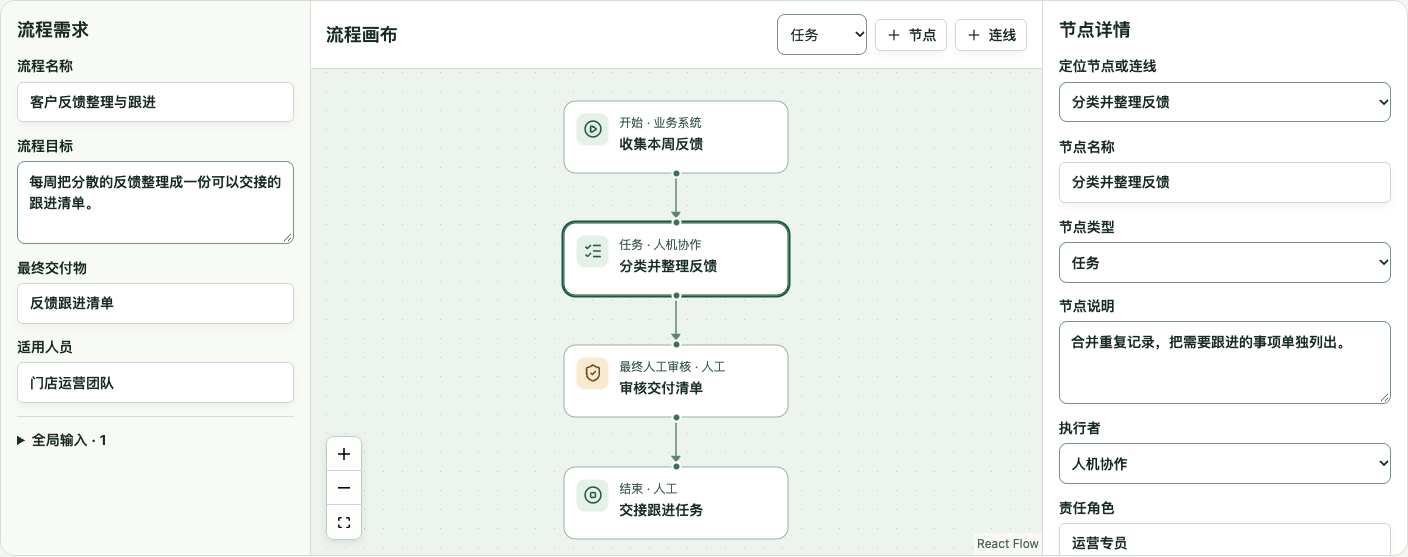
Build an editable workflow from text or an SOP, or choose from 8 operations, analytics and HR templates. Start with the customer feedback example without signing in.
From instructions to handoff
Start with your own SOP or one of eight workflow templates.
Browse the eight templatesAdd an SOP
Paste text or upload a text-layer PDF, DOCX, TXT or Markdown file. Review the extracted text.
Clarify the gaps
The model extracts facts from selected sources. Answer questions about required information before generation.
Edit and publish
Review each step’s inputs, outputs, criteria, rules and effort. A lead or administrator publishes team changes.
Run a simulation
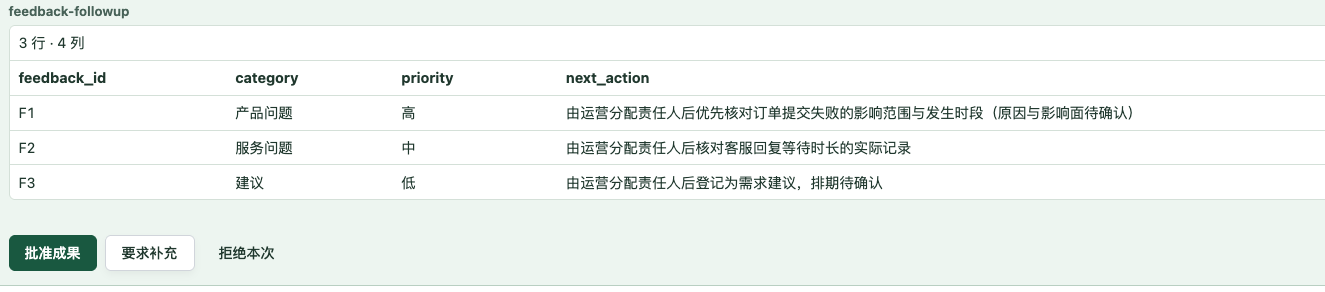
Confirm synthetic inputs or bring text or CSV. A person confirms business decisions and final outputs.
Export the workflow and Skill
Download the published workflow guide and Codex Skill. The Skill produces Markdown or CSV after the required reviews.
People confirm the key decisions
A simulation pauses for missing required inputs. Authorized people review decisions and deliverables. Sending email, publishing content, updating CRM records and opening accounts happen outside FlowNative.